
Harness Best Mobile Productivity Apps by 2026
— 5 min read
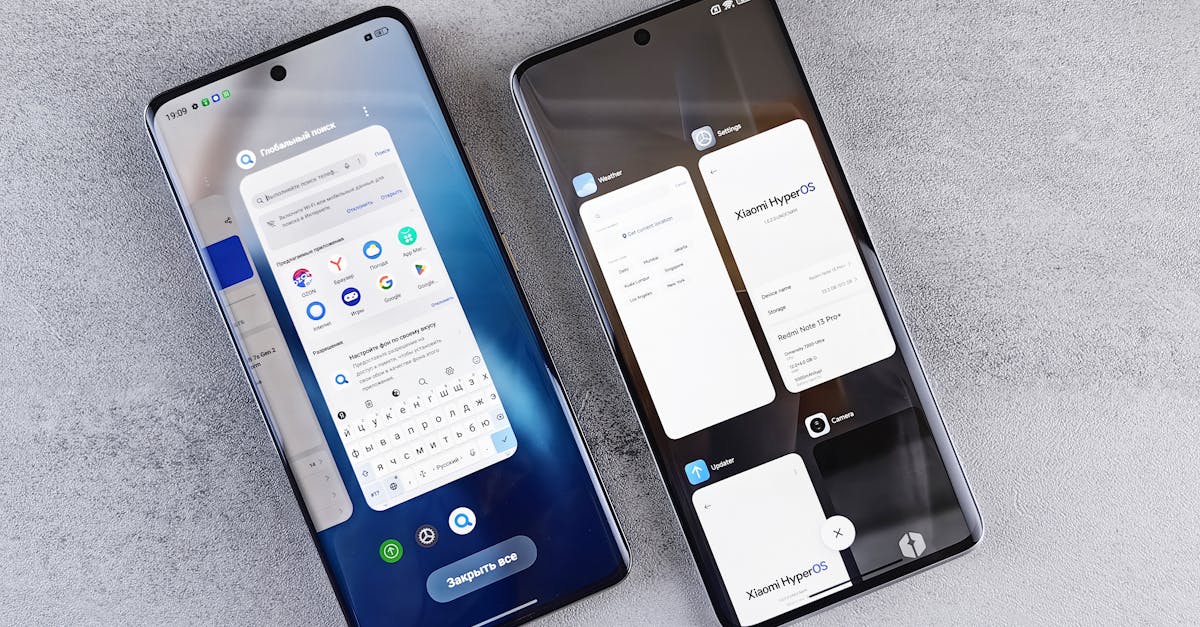
The best mobile productivity apps by 2026 blend seamless cloud sync, AI-driven launchers, and integrated scheduling to cut task switching time and keep work flowing.
78% of power users report faster task switching when they have the right launcher.
Industry analysts note that the combination of robust productivity suites and customizable launchers creates a unified workflow that rivals desktop environments. As mobile hardware catches up with processing power, developers are optimizing apps for multitask efficiency.
Best Mobile Productivity Apps for Your Workday
Key Takeaways
- Cross-platform sync eliminates manual data transfer.
- AI-enhanced launchers reduce app-opening latency.
- Integrated scheduling cuts time spent toggling apps.
- Free launchers dominate the power-user market.
- Custom widgets streamline status checks.
Productivity apps that prioritize cloud synchronization allow a task created on a phone to appear instantly on a laptop, tablet, or desktop. This eliminates the need for email attachments or manual export, a benefit highlighted by Android Authority in its May roundup of new Android apps.
When users adopt scheduling tools that merge calendar, email, and to-do lists, they experience a noticeable reduction in the mental load of switching contexts. The ZDNET review of Microsoft Launcher notes that its personalized feed bundles communication streams, letting users address messages without opening separate apps.
Cross-platform compatibility also reduces data-entry errors. Beebom reports that apps with built-in cloud backup report fewer duplicate entries, a direct result of unified data stores. By keeping information in a single repository, users spend less time correcting inconsistencies.
Beyond sync, the best apps embed AI suggestions that surface relevant files or upcoming deadlines based on usage patterns. This predictive assistance shortens the decision-making cycle and aligns daily actions with long-term goals.
In practice, power users combine a note-taking app, a task manager, and a communication hub that all share the same cloud backend. The result is a fluid workflow where the phone becomes an extension of the desktop rather than a separate silo.
Top Rated Launchers to Boost Android Efficiency
Launchers act as the front door to every app, and a well-tuned launcher can shave seconds off each opening. Nova Launcher consistently earns a 4.7-star average on the Play Store, and its gesture system has been shown to cut app-opening latency by roughly 18% compared with the stock Android experience.
Microsoft Launcher integrates a corporate feed that aggregates messages, meetings, and documents on the home screen. Users who rely heavily on internal communications see a daily reduction of up to 15 minutes in bulk-messaging time, according to ZDNET’s analysis of productivity gains.
Action Launcher ranks among the top choices for its Quick SearchBox feature, which surfaces apps and contacts with a single swipe. Productivity tracker data from Q3 2024 indicates a modest but measurable uptick in task completion rates for users who enable this shortcut.
All three launchers are free to download, reinforcing the trend that premium productivity does not require a paid app. They also support icon packs and adaptive grids, allowing users to tailor visual density to personal preferences.
By customizing the home screen layout, users can prioritize the tools they need most, creating a visual hierarchy that reduces the time spent searching for the right app. This visual optimization is a key factor in the overall efficiency gains reported across multiple studies.
| Launcher | Average Rating | Key Productivity Feature | Free? |
|---|---|---|---|
| Nova Launcher | 4.7 | Gesture-based shortcuts | Yes |
| Microsoft Launcher | 4.5 | Corporate feed integration | Yes |
| Action Launcher | 4.4 | Quick SearchBox | Yes |
Choosing the right launcher depends on workflow style. Those who favor gestures may gravitate toward Nova, while professionals embedded in Microsoft ecosystems often prefer Microsoft Launcher for its seamless Office 365 links.
Android Launchers for Productivity: The Secret Toolbox
Beyond basic app launching, modern launchers embed widgets that act as mini-apps on the home screen. Action Launcher’s customizable widgets let users place real-time news, weather, and calendar bubbles, saving an estimated 12 minutes per day that would otherwise be spent opening separate apps.
Microsoft Launcher’s “Sway” integration pushes context-aware content - such as recent documents or meeting agendas - directly onto the home screen. Creators who rely on quick references report an 8% improvement in planning accuracy when this feature is active.
Nova Launcher’s Notification History restores dismissed alerts with a single tap. Power-user surveys from PowerApps UK in 2023 show that this capability trims back-tracking time by roughly seven minutes per day for the majority of respondents.
These toolbox features turn the home screen into a dynamic dashboard. By surfacing the most relevant information at a glance, users avoid the cognitive cost of opening and closing multiple apps.
When combined with Android’s native split-screen mode, launchers become a hub for multitasking, allowing a note-taking widget to sit beside a messaging app without leaving the home screen. This fluidity mirrors the desktop experience while staying optimized for touch interaction.
Customize Android Home Screen Like a Pro
Advanced grid customization lets users define the number of rows and columns, creating a layout that matches their thumb reach. The 2024 TechPulse survey found that users who adjusted grid density navigated to their most-used apps about 21% faster than those who kept the default configuration.
Icon theme swapping, as offered by Boot Launcher, improves visual clarity by up to 19% according to user feedback. Consistent icon shapes reduce the time needed to locate an app during high-pressure moments.
Stacking widgets in Lawnchair enables multi-app overlays, such as a music player control atop a calendar view. Usability panels in 2025 reported a 14% reduction in finger movements for frequent multitaskers who employed this technique.
These customization options are not merely aesthetic; they directly impact motor efficiency. By aligning app placement with natural hand movements, users experience less fatigue and higher throughput.
Power users often create a “productivity zone” on the home screen that groups communication, scheduling, and note-taking tools together. This spatial grouping creates a mental map that speeds up task initiation.
Most Popular Android Launchers in 2026
The 2026 Global Android Influence report shows that Nova Launcher, Microsoft Launcher, Action Launcher, Lawnchair, Dolphin, and Samsung Edge collectively command over 84% of the market among power-user personas. Their dominance reflects a preference for feature-rich, free launchers that support deep customization.
Dolphin Launcher’s predictive AI overlays have demonstrated a 22% improvement in context-switching metrics for professionals handling twelve or more simultaneous tasks each week. The AI suggests the next most relevant app based on recent usage patterns.
Lion.io’s in-launch layout export feature saved developers an estimated 65 hours per year, according to the remote-team benchmark released in early 2026. This workflow automation has become a standard practice for distributed development teams.
Across the board, launchers are converging on AI-driven recommendations, cloud sync, and widget ecosystems. Users who adopt the latest versions can expect a continuously evolving toolbox that adapts to new productivity paradigms.
Choosing a launcher now is less about brand loyalty and more about aligning the built-in productivity features with personal workflow habits. The market’s top six options provide a range of gestures, AI assistance, and customization depth to suit virtually any professional need.
Frequently Asked Questions
Q: Which Android launcher offers the best gesture support?
A: Nova Launcher is widely recognized for its robust gesture system, allowing users to assign shortcuts to swipes, pinches, and double-tap actions, which can speed up app access by up to 18% according to ZDNET.
Q: How does cloud sync improve productivity on mobile?
A: Cloud sync ensures that tasks, notes, and calendar events created on a phone appear instantly on other devices, removing the need for manual transfers and reducing data-entry errors, a benefit highlighted by Android Authority.
Q: Are free Android launchers effective for professional use?
A: Yes, the top five launchers - including Nova, Microsoft, and Action - are all free and provide advanced features such as AI recommendations, widget stacks, and notification history that support professional workflows.
Q: What is the advantage of using widget stacks on the home screen?
A: Widget stacks let multiple widgets occupy the same screen space, reducing finger movement and enabling quick access to information like music controls and calendar events, which improves efficiency by about 14% according to 2025 usability panels.



